

Internet and connectivity
How to Use Google, Gmail, WhatsApp and Western Apps in China
Prepare Google, Gmail, WhatsApp and other essential apps before visiting mainland China. Compare roaming, travel eSIM and local connectivity options, then build a reliable offline backup.
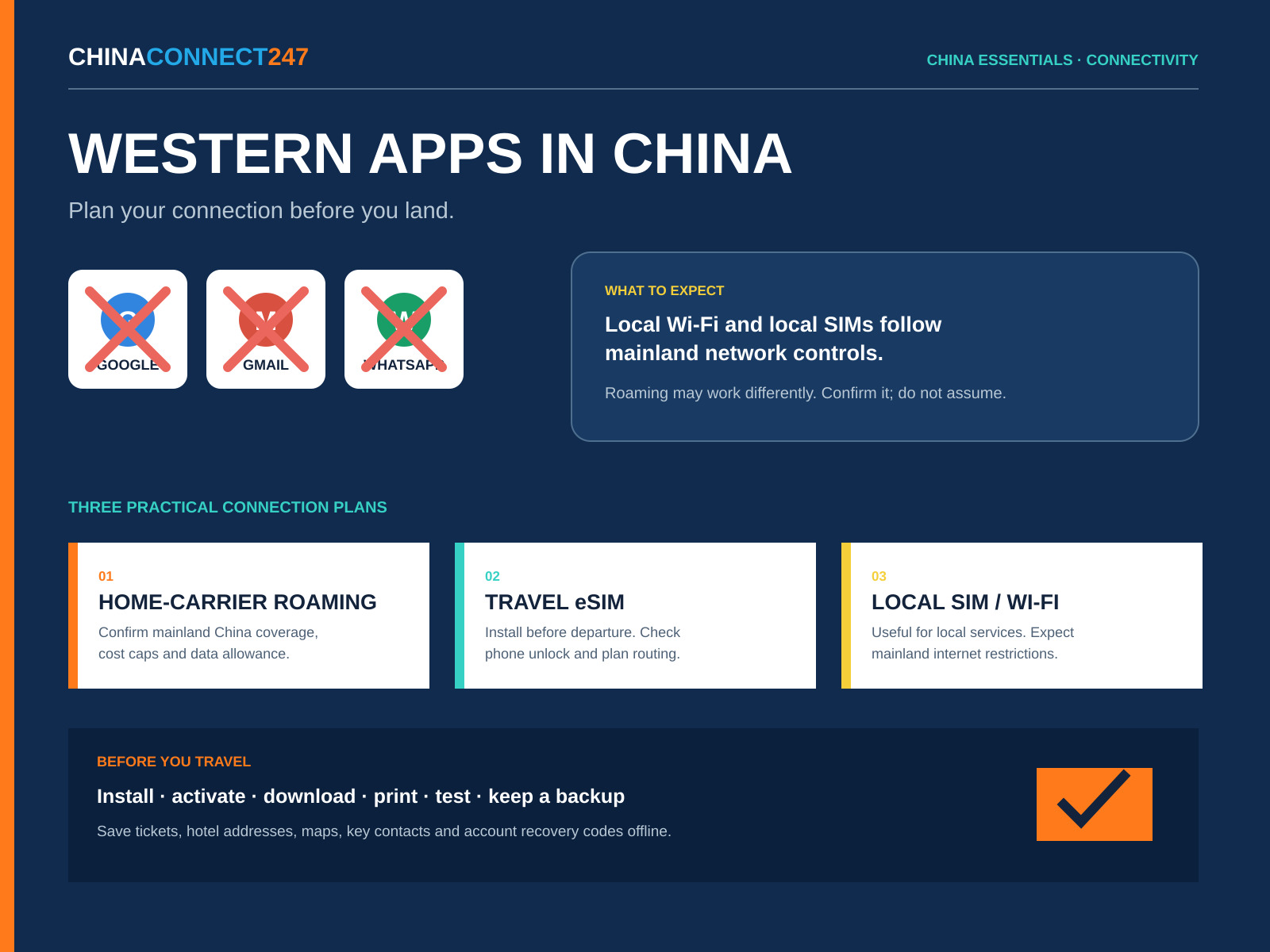
Your phone can show full signal in mainland China while an app you use every day still does not load. That can affect email, messages, maps, cloud files, online banking and account verification at exactly the moment you need a hotel address or booking confirmation.
The solution is not to depend on one technical workaround. Prepare a legal, carrier-supported connection plan, install useful local apps, keep critical information offline and decide how colleagues or family will reach you if your normal channel is unavailable.
Quick answer
Expect Google services, Gmail, WhatsApp and several other foreign platforms to be unavailable on ordinary mainland Chinese Wi-Fi and local mobile data. International roaming or a foreign travel eSIM may route data differently, but access depends on the provider and is never guaranteed. Confirm mainland China coverage before departure, install and test everything while abroad, and keep local-app and offline backups.
1. Expect the network to work differently
Mainland China has extensive controls on internet access. UK government travel advice says Google, Facebook, YouTube and X are permanently blocked and that other websites may be blocked intermittently. Australian government travel advice also warns that Google, WhatsApp, online banking, internet calling and messaging services may be unavailable.
In practical terms, do not build your trip around the assumption that these will work on hotel Wi-Fi, airport Wi-Fi, a cafe network or a Chinese SIM:
- Google Search, Gmail, Drive, Docs, Calendar and YouTube.
- WhatsApp and some other foreign messaging or calling apps.
- Foreign news, social-media and cloud services.
- Authentication pages, embedded maps or sign-in buttons that depend on blocked services.
A website loading yesterday does not guarantee that it will load during your visit. Access can vary by service, network, place and time. Hong Kong and Macao have different network environments; advice for them should not be assumed to apply to mainland China.
2. Why full signal does not mean every app will work
Your phone's signal bars show that it is connected to a mobile or Wi-Fi network. They do not show how that network reaches the wider internet.
A Chinese SIM and ordinary local Wi-Fi use the mainland network environment. A foreign SIM roaming on a Chinese partner network may send data through the foreign carrier's roaming system. A travel eSIM may do something similar. This difference is why two phones beside each other can reach different services.
Do not treat roaming as a guaranteed way to reach every foreign app. The result depends on the carrier, plan, routing and current restrictions. Ask the provider specifically about mainland China, not simply “China” or “Asia,” and ask whether the plan has any service limitations.
3. Choose a primary connection and a backup
Option A: roaming from your existing mobile carrier
For a short business trip, a home carrier's official roaming plan can be the simplest option. It keeps your existing SIM and number, which is useful for calls, SMS and account verification.
Before departure, confirm:
- Mainland China is included on your exact plan.
- The daily or total price, high-speed data allowance and reduced-speed policy.
- Whether voice calls, incoming calls and SMS cost extra.
- Whether tethering or hotspot use is allowed.
- Which Chinese network partners the carrier uses.
- How to reach support without relying on the carrier's app.
Set a billing cap or roaming alert where your carrier offers one. Background photo backup, cloud syncing and app updates can consume an allowance quickly.
Option B: a travel eSIM from a foreign provider
A travel eSIM can provide a separate data plan without removing your physical SIM. Many are data-only: they do not provide a mainland Chinese phone number and cannot receive normal SMS.
Apple advises travellers to check that an iPhone is unlocked and to buy or install a travel eSIM before the trip. Regional and device restrictions apply. In particular, do not assume you will be able to install or reinstall a foreign eSIM after entering mainland China. Android support also varies by model and sales region.
Ask the eSIM provider:
- Does this exact package cover mainland China?
- Must it be activated before arrival?
- When does the validity period begin?
- Is the plan data-only?
- Are hotspot use and 5G included?
- How is data routed, and are any categories of service restricted?
- Can the profile be reinstalled if it is deleted?
Keep the QR code or installation instructions offline, but protect them as account credentials. Do not delete a working eSIM during the trip unless the provider confirms that it can be restored.
Option C: a Chinese SIM or ordinary local Wi-Fi
A local SIM is useful for local calls, a +86 number and services that work better with local registration. China's official guide for foreign business visitors says a foreign national can take a passport or Foreign Permanent Resident ID Card to a service office of China Mobile, China Unicom or China Telecom to arrange a SIM.
A local SIM is not a substitute for access to blocked foreign services. Expect the mainland network environment. Public or hotel Wi-Fi may also require phone-number or identity verification.
Local Wi-Fi can still be valuable for Chinese apps, routine browsing and preserving roaming data. Avoid sending sensitive information on an untrusted public network, and follow your employer's security policy.
Option D: an employer-provided connection
If access to company systems is essential, ask your IT or security team what approved connection the organisation provides for work in China. Chinese authorities require VPN and similar services to be licensed. Do not arrive planning to buy or improvise an unapproved consumer workaround. A company may have a licensed carrier or managed cross-border service designed for its internal use.
Business travellers handling customer, employee, technical or other sensitive data should also check what may be stored on the device and transferred across borders.
4. Prepare Gmail, Google and account recovery before departure
Do the work while you still have a dependable connection:
- Download flight, rail, hotel, fair-registration and insurance documents as files, not just links in Gmail or Drive.
- Save the hotel and meeting addresses in Chinese characters, plus phone numbers.
- Export or download the documents and presentation files needed for meetings.
- Check whether Google Maps offers an offline download for the places you will visit. Google notes that offline maps are unavailable in some countries or regions and that offline mode has limited navigation features. Keep another map option.
- Generate Google 2-Step Verification backup codes and store them securely away from the phone. Each code works once. Never share them.
- Check that your password manager and authenticator app work offline.
- Add a recovery email or other approved sign-in method that does not depend on the same phone.
- Print the most important itinerary details and one emergency contact sheet.
Do not rely on a screenshot of a QR code if the venue requires a live mini-program, rotating code or identity check. Confirm the actual entry process.
5. Prepare WhatsApp and another contact route
Install and verify WhatsApp before departure. Keep your registered home number active if you might need to receive a verification SMS or call. WhatsApp's help guidance notes that travellers must be able to receive the code on the registered number when re-verification is required.
Tell important contacts that WhatsApp may not be available. Agree on a second route, such as:
- WeChat, installed and registered before travel.
- Ordinary SMS or a voice call to your roaming number.
- An employer-approved communication service.
- A scheduled check-in time and a named person to call if you miss it.
Do not make every backup depend on the same email account. If Gmail is unavailable, a recovery message sent only to Gmail does not solve the problem.
6. Install the local apps you will actually need
China's official business-visitor guide identifies WeChat and Alipay for payments and local services, Didi for ride hailing, and Railway 12306 for train tickets. Availability, verification and international-card support can change, so set them up before the flight and test the important functions.
A practical phone setup may include:
- WeChat: supplier communication, contacts and many mini-program services.
- Alipay: payments, transport functions and access to local services.
- Didi: ride hailing, either directly or through a supported local app.
- Railway 12306: official rail booking and journey information.
- A mainland-supported map app: check its language support and save key places.
- An offline translation pack: download the languages you need in advance.
Keep some physical payment backup and your hotel's written address. An app setup can fail because of identity checks, card verification, a bank fraud alert or a delayed SMS even when the internet itself is working.
7. Protect your data and manage two SIMs carefully
Before travel, update the operating system and apps, remove information you do not need, back up the device and follow your organisation's travel-device rules. Government travel advice warns visitors not to expect the same level of privacy they may have at home.
If you use two SIMs or an eSIM:
- Set the intended travel line as the mobile-data line.
- Turn data roaming off on the home line unless its roaming plan is intentional.
- Disable automatic cellular-data switching if it could create surprise charges.
- Decide whether the home line should remain on for SMS and incoming calls.
- Turn off automatic cloud backups, app downloads and video autoplay.
- Take a screenshot of the correct settings pages for later reference.
Remember that receiving a call, checking voicemail or sending an SMS may be charged differently from data.
8. Test your plan before boarding and after landing
Before departure, test the exact setup away from your normal Wi-Fi. Open a required document, use the authenticator, send a message on the backup channel and confirm that the travel line can use data.
After landing:
- Turn on only the line intended for travel data.
- Confirm the carrier name and that mobile data works.
- Test one essential international service and one local service.
- Message your agreed contact channel.
- Check data usage before leaving the airport.
- If the primary plan fails, use the prepared backup rather than changing several settings at once.
Keep a record of the provider's support number, APN instructions and booking reference somewhere available offline.
Before you travel checklist
- Confirm mainland China coverage, pricing, data limits, voice/SMS charges and hotspot rules with your carrier.
- Check that your phone is unlocked and supports the required SIM or eSIM.
- Install and activate the travel eSIM before entering mainland China where the provider requires it.
- Keep the home number available if account verification depends on it.
- Download tickets, bookings, presentations, insurance and key cloud files.
- Save hotel, venue and meeting addresses in English and Chinese.
- Create and securely store account backup codes.
- Test your password manager and authenticator offline.
- Install and verify WeChat, Alipay, Didi, Railway 12306, a local map option and offline translation.
- Tell family and colleagues which backup channel to use.
- Turn off unnecessary background data and set billing alerts.
- Remove sensitive data you do not need and follow your employer's device policy.
- Carry a printed essentials sheet and a payment backup.
- Recheck official travel advice and your providers shortly before departure.
The reliable plan is a layered plan
No single app, SIM or network deserves to be the only route to your itinerary, money, meetings and contacts. Use a carrier-supported primary connection, prepare a second contact channel, keep essential information offline and test the whole setup before departure.
Service availability and telecom rules can change. Confirm current details with official travel advice, your carrier, your eSIM provider and your employer before each trip.
This article provides general travel preparation, not legal, telecom or cybersecurity advice. Follow Chinese law and your organisation's policies.
Sources and evidence
Open the original publications and product references used in this article.
- 01UK Foreign Travel Advice: China safety and securitygov.uk
- 02Australian Smartraveller: China travel advicesmartraveller.gov.au
- 03China State Council: Guide to Working and Living in China as Business Expatriates (2025)english.www.gov.cn
- 04Apple Support: Use eSIM while travelling internationallysupport.apple.com
- 05Apple Support: Using eSIM with your iPhone in China mainlandsupport.apple.com
- 06Google Account Help: Sign in with backup codessupport.google.com
- 07Google Maps Help: Download areas and navigate offlinesupport.google.com
- 08WhatsApp Help Center: Travelling and verification codesfaq.whatsapp.com
Keep the context with the contact.
Save supplier cards alongside products, quotes, questions, samples, and the next action.